My Professional Journey From A Symbian Mobile Game Developer To VR Game Developer
Before Software Job
Though I started my first job as a customer care executive, after doing various non-IT jobs, I finally got to work as a software engineer and game developer in the IT sector. In the final year of my graduation, I developed a game project using Java Applets. Those were the days when HTML5 games had not been invented and Applet games used to run on the web. Because of this, I gained confidence and started accepting final-year projects from college students. I remember the first cheque I received for developing a bike game that had many customizations as per user requirements. I made good pocket money from that work, and then I got an email from Gameloft with a task to develop a game in Java. It was not in Applet but in Frame. I completed the given task and got the job.
My first Software Job
I started my software engineering career with GameLoft Pvt. Ltd., where I was a Jr. Game Programmer. My job was to port games for the Symbian operating system, which supported both keypad and touchscreen mobiles. J2ME stands for Java 2 Micro Edition. There were two files we developers used to create: JAR (Java Archive), which contained the compiled code and resources of the game, and JAD (Java Application Descriptor). The JAD files were not mandatory to run a game, but professionally they were very important for holding metadata. In short, these files contained all the details about the game, such as the game vendor name, version, etc.
Got A New Job
I moved to a new company where again I had to port games for various devices. There used to be only one source code, and minor changes had to be made for different devices. For instance, on a small screen phone with low memory, I would optimize images, sounds, and other resources and create a specific build for that device. Being a Game Programmer, I was not given a single game to develop from scratch, but because of my deep interest, I did develop one.
One Of The Biggest Professional Successes
In the same company, I got an opportunity to fix a problem by creating something very useful for everyone. It was a tool that scanned JAD files. Both developers and QA had a difficult task of finding errors in JAD files manually. It was very boring work. Looking at my frustration, one of my co-workers jokingly said, "If it feels boring to you, then make a tool that automatically scans the JAD file." That idea hit me immediately, and within two weeks, while doing my office job, I managed to create that tool. It worked so well that it scanned all the JAD files that were passed by the QA team and found new errors that were not previously noted. I received a lot of appreciation from my colleagues as it significantly reduced their effort. The QA team was the happiest because of this tool. After that, there was no problem scanning any number of files.
I was still accepting projects from college students, and one guy wanted me to develop a game in J2ME. He asked me to run the game on an emulator only if possible, though it was not mandatory. By that time, I had gained much experience, so I literally gave him a big surprise as I installed his game project on his personal phone and played it. The joy on his face gave me a new level of confidence and inspiration to keep doing things like that.
Then came the BlackBerry devices, which were a bit more sophisticated with a different look, as these phones were special and equipped with a physical keyboard, push email features, strong security, and other cool features. BlackBerry devices didn't have JAR files; instead, multiple COD files were used for a single game project, though JAD files were still used.
If you have lived the tech-conscious lifestyle of the early days when phones were emerging, you might be well aware of the popularity of Nokia. Almost everyone had used a Nokia phone. We still remember their model names like 1100, 6600, etc. Even the 1100 was a black-and-white phone, but it was very much loved by the public because of its simplicity, build quality, cost, durability, and many other reasons.
The Tough Time In My Life
While Nokia phones were among the most popular devices all over the world, Android entered the market. It grew very rapidly because of many advantages, such as being more than just a phone, offering a smartphone experience with a smooth user interface, being open, free, fast-moving, and app-friendly.
I could not understand what to do when the Symbian devices were vanishing, and I had no knowledge of Android development. So the first thing I did was join an Android Development course. While working and studying in parallel, many concepts remained unclear in the course. I soon learned online how to create games in Android without using any third-party library. Because of this, I got a job in a company as a game developer. After the game project was completed, my job was to develop apps. Through dedication, hard work, and available online resources, I finally learned Android app development. By this time, I was an Android game and app developer. Although I had some prior Android knowledge, this company helped me learn professional app development from scratch.
Freelance
Because of my app development knowledge, I worked as a freelancer online and completed many projects. There are so many great memories I have from those days. A guy wanted me to create a simple 2D game to impress someone, but he said he would pay me later. I got the details, completed his game in about two days, and provided him the APK file. By that time, he had not paid anything. But after playing the game three times, he paid the money quickly and received another APK from me of the same game. In the feedback review, he gave me five stars and wrote, "This guy is a damn intelligent person and he knows what he is." Do you know what made him write this message? Even though he had not paid, I gave him the APK (game file), but after playing it three times, I showed him a pop-up with the message, "After you pay the money, get the full version of the game."
Unity3D
I again got a good job in game development for Android using native libraries and OpenGL ES. After working for some years, I learned that Unity3D is a very good tool that can be used to develop both 2D and 3D games, with so many features already included. Fortunately, the company I was working with helped me learn almost every small and big concept of Unity.
Worked as Platform Engineer:
Having knowledge of both Android and Unity3D, I got a job as a Platform Engineer, where I had to create stacks of ad libraries and develop custom libraries that could be integrated into Unity to achieve the desired results. I was the only person who had two computers for work: a Windows machine for game development and a Mac for iOS builds. I learned many new concepts there and met many great people. In this company, I learned a hard truth about gaming: even spending a lot of money won't make a game popular. It is not just about the game; the idea and proper implementation matter most.
Published My Game
Corona came, and I published my first Unity game. It is a 2D catapult game where you have to hit the tins to knock them down. It is still available on the Play Store. Just search for 'Trajectory Game', and you will find it. The game has 100 levels and is not meant for kids, as it gets harder as you progress. Very few people have reached the end.
Because of Corona, I got a work-from-home job. Here I had to develop games for kids’ learning. After this, the company gave me Android apps to add new features to.
Best Job So Far
I moved to a new job as a VR developer. Again, I had zero knowledge of VR, but as they wanted someone with good experience in Unity3D, I got selected. This was, so far, the best job of my life, as there were many things that every employee would dream of. First of all, they gave me the salary I asked for without any negotiation. The employees got paid birthday leave, no hard deadlines, great gifts on festivals, good appraisals, lucky draw gifts... let me stop here, as I could go on. I am really thankful for everything that the job gave me. I worked there for almost three years and then decided to do something different and resigned. After that, I published multiple books, courses on Udemy, learned OpenCV, and worked on my website that you are reading.
Learning & Moving Ahead
From all this experience, I would say that skills were the main thing that helped me in my life. I am still learning new things because nothing will last forever. Every day there is improvement in technology and in the way things are done. For example, if you go back to around 1995 to 2000, knowledge of using a computer was an added advantage but not mandatory. People used to appreciate those who knew how to operate it. But now, even kids are very familiar with it.
This is my professional journey so far. I am still learning things like computer vision and machine learning. I hope this read was helpful. Thanks and have a great time!

How Will Be Future Software Developers?
The Changing World
We know that technology is upgrading every single day. You might have noticed how the need of large machines such as scanner and printers has been dropping day by day. These are just basic examples, there are countless things which changed. You won't find the previous machines now and our next generation will not find the devices that we are using because the goal of latest inventions are to make things compact and precise. Only because of software industry such big revolution took place.
My Experience As A Developer
As a developer I have seen multiple changes since the starting of my career. For example, usage of Systems, IDEs, Software and various other things. Let us take an example of how I would write codes and compare it with today's technology.
Notepad:I remember the days when I had just learned Java programming and how I used to write it on my system. I would write code on the Window's simplest notepad and to run the program, I would use command prompt. In those days only very few IDEs were available but we as a college students; were told by the professors and tutors to use notepad only rather than the specific IDEs. Because of following their guidelines most of the students got a good grip on it, also they performed well in exams. By the way my college year's final project was also built using a simple notepad. I have a separate article for where I have written the complete story about me and the project.
IDE: After some years new smart IDEs came into existence which were well known for their intelligence. By just typing the first letter it would provide a list of keywords so that no one needs to remember it fully. As days passed the IDE got much smarter by showing the solution to the problems. Again the workload of developers got reduced. AI:Then came the AI with smartest work and fastest productivity. With the help of AI anyone can code just because most of work will be handled by it. Now the developers have to concentrate only on the main things. But programmers or coders are still important.
Where Do Developers Stand?
A programmer will be anytime more capable of doing things rather than a non programmer. Anyway in the future there will be new equipment & machines and for their specific software, multiple a programmers and developers will be needed.
Imagine a guy without any knowledge of programming tries to code with the help of AI. Now we know that AI is great and anything can be done with it. I am sure that AI will not create a complete application from scratch but for your sake let us assume it does create but it will leave some problems for sure and those will be fixed by a developer only.
Will Learning Programming Be A Good Option?
Learning programming will always be a good decision but you have to decide exactly which language. If you learn the outdated one such as Pearl & Visual Basic then it will not help you in a long run as Pearl & Visual Basic will no longer be used in future. For me, learning C, C++ and Java helped a lot. If you do a simple research you will understand that most of the things are similar in all programming languages such as classes, functions, variables etc. The object orientation programming or OOPS concept made a rapid progress in the programming world.
Will there Be A demand For Developers & Programmers In Future?
As per my own experience, as I moved from a job where I was working as a J2ME developer to another one as Android developer. Though I had education and experience of working in a software company no one would directly offer me a new job which I have zero knowledge. Before applying for the Android developer position, I learned it by joining a course so that I can understand things from start to end. After learning the basics and also by creating some simple games I was able to crack the interview for Android position. All that happened because I was interested in knowing about Android operating system. After a year I published my own games and apps on the Google play store. People from all over the world can access and download these which helped me earn some money. Not only this, from freelance too I made some income. In short I made myself compatible to the new environment of Android world. So if the developer gets adapted to the new technology, there are many opportunities open.
Previous Software Developers Vs Future One
If we go to 10 years back and notice the skill set of a software engineer, we will find that each one had an identity, for instance; this guy is a Java developer, that one is a C++ developer etc. Even this may look generic, because just saying Java developer is not enough as Java has various sub-parts like Core Java, Advanced Java, Java Micro Edition and a lot of others. How do I know? Because I had worked as a J2ME (Java 2 Micro Edition) developer where my job was to develop mobile games. But very soon the J2ME jobs vanished due to the entry of Android.
The future software developers will be more smarter rather than expert in one language, such as only one developer will be working on more that 5 programming languages. They will not have to code a lot but they will need to understand the codes to fix the issues or to add new features in it. You can read 'How I learned multiple programming languages' in a separate article.
Good And Bad
Whenever a revolution occurs, some things go wrong, but many positive changes also take place. For example, many people lost their jobs when Symbian phones disappeared, but the opportunities for Android developers were immense. In the same way, AI is transforming the world today. While many people have lost their jobs because of AI, the developers of the future will be those who understand AI well and can use it to create value for society. Therefore, it is always beneficial to learn about emerging technologies and stay informed about developments that can make a significant difference.

The Importance Of OpenCV
What is OpenCV?
OpenCV stands for Open Source Computer Vision. It is a library that provides a way to do various things related to images and videos. Face detection, object detection, image & video manipulation and many more things can be done.
What does OpenCV mean?
Let us divide each part of 'Open Source Computer Vision':Open Source: It means the source code of OpenCV is publicly available. It can be used, modified and distributed. OpenCV uses a permissive license, so it can be used for both personal and commercial purposes with minimal restrictions.
The most popular programming language used by OpenCV is Python. Why? It is because Python is the easiest and requires very less syntax. In short, it does a lot of work with less code. For example if you want to print 'Hello' in Java, you will need to create a class and then create the main method, inside it write the code in this way: System.out.println("Hello");. But when it comes to Python, just write print("Hello") that's it, you don't even have to write the semi colon (;). Python also has all the supporting libraries for OpenCV like NumPy, Matplotlib, YOLO, PyTorch and many others. Also running Python code is very simple. You can use any code editor like Visual Studio Code, Sublime Text etc.. Python can be run on these without any issues. Even you can write the code in notepad and run with command prompt, it will work.
What is NumPy?
NumPy means Numerical Python and it is a library used for scientific computing. It is also an open source library, so it can be used by anyone. Basically NumPy is used for performing complex math operations with high speed and ease.
Here are the important features of NumPy:-
- Main usage in Multidimensional arrays: NumPy provides a fast and memory efficient array object. It uses homogeneous data type that means all elements are the same type. Also it supports higher dimensional arrays.
- High Performance: As NumPy uses vectorized operations therefore big calculations can be performed easily without needing any loops. It speed is way higher than the Python lists because it is written partly in C language.
- Complex Math Functions: NumPy has built-in functions for: Linear algebra Trigonometry Statics Fourier transforms
- Flexibility and Broadcasting: NumPy automatically expands smaller arrays to match larger ones. It allows operations between arrays of different shapes. It simplifies code and improves speed.
- Memory Efficient: Compared to Python list, it uses less memory. NumPy stores data in contiguous memory blocks.
- Advanced Indexing & Slicing: It access elements using indices, slices or conditions. It supports Boolean indexing and fancy indexing.
- Can be integrated with other libraries: It can be integrated with Matplotlib for plotting. With Pandas it is very helpful in data analysis. SciPy for advanced scientific computing.
- Open Source & Cross Platform: It is free to use and widely supported It works on Windows, macOS and Linux
- File I/O: Data can be persisted and shared easily. Helpful in read and write operations of arrays to files.
What is Matplotlib?
Matplotlib is a library in Python which is used for data visualization. It helps to create graphs and plots in an easy way. Using Matplotlib, we can make line graphs, bar charts, pie charts, histograms and many other types of visual representations. It is very useful when we want to understand data in a better and clear way. It is also an open source library, so anyone can use it freely.
What does Matplotlib mean?
If we divide the word 'Matplotlib', we get: Mat: It comes from Mathematics, which means it is related to mathematical data. Plotlib: It comes from plotting library, which means drawing graphs or charts. So overall, Matplotlib is a library used for plotting mathematical or numerical data.
What is YOLO?
YOLO stands for 'You Only Look Once'. Let us understand it clearly. You: Refers to the model or system. Only Look Once: It means the model processes the image only one time to detect all objects. So, YOLO means detecting objects in a single step, making it fast and efficient. It is a very popular algorithm used for object detection in images and videos. With YOLO, we can detect multiple objects at the same time like people, cars, animals etc. It is known for its high speed and accuracy. Unlike some other methods, YOLO looks at the image only once and predicts all the objects, which makes it very fast.
What is PyTorch?
PyTorch is an open source machine learning library used for deep learning and artificial intelligence. It is widely used for building and training neural networks. PyTorch is known for its flexibility and easy-to-understand code, which makes it popular among beginners as well as researchers. It is mainly used with Python and supports operations on tensors (multi-dimensional arrays).
What does PyTorch mean?
Dividing the word 'PyTorch' gives us: Py: Refers to Python, the programming language. Torch: Refers to a scientific computing framework (Torch) on which PyTorch is based. So, PyTorch is a Python-based library for deep learning and tensor computations. All of the above mentioned libraries help OpenCV achieve desirable tasks.OpenCV has many built-in functions and features that help us process images and videos easily. These features are used for tasks like improving image quality, detecting objects and modifying images. Let us look at different functions and understand what do they do.
- What is Dilation in OpenCV? Dilation is used to increase the thickness of objects in an image. It adds pixels to the boundaries of objects, making them appear bigger. In simple terms, it helps to strengthen or highlight the object area.
- What is Erosion in OpenCV? Erosion works in the opposite way of dilation. It removes pixels from the edges of objects, making them thinner or smaller. This is helpful when you want to remove small unwanted details.
- What is Contour Detection in OpenCV? Contour detection is all about identifying shapes in an image. It traces the outer boundary of objects. This feature is commonly used to detect shapes, count objects or analyze their size.
- What is Image Flipping in OpenCV? Flipping changes the direction of an image. You can flip it sideways, upside down or both. It is often used in image editing and also for increasing dataset size in machine learning.
- What is HSV Color Space in OpenCV? HSV is a different way of representing colors. Instead of Red, Green and Blue, it uses Hue, Saturation and Value. It makes color detection tasks easier, especially when lighting conditions are not perfect.
- What is Thresholding in OpenCV? Thresholding converts an image into only two colors: black and white. It simply separates important parts of the image from the background using a fixed value.
- What is Blurring in OpenCV? Blurring reduces sharpness in an image. It smooths out details and helps in reducing noise. This is usually done before applying other techniques like edge detection.
- What is Edge Detection in OpenCV? Edge detection highlights the boundaries of objects. It finds where there is a sudden change in brightness. This makes it easier to understand the structure of objects.
- What is Resizing in OpenCV? Resizing changes the dimensions of an image. You can make an image smaller or larger based on your need. It is useful when working with models that require fixed image sizes.
- What is Cropping in OpenCV? Cropping means selecting a specific part of an image and removing the rest. This helps to focus only on the important region.
- What is Bitwise Operations in OpenCV? Bitwise operations are used to combine or modify images. Examples include AND, OR and NOT operations. These are useful in masking and extracting specific regions.
- What is Masking in OpenCV? Masking allows you to focus on a particular area of an image while hiding the rest. It is widely used in object detection and color filtering.
- What is Drawing in OpenCV? OpenCV allows drawing shapes like lines, rectangles and circles on images. It is helpful for marking objects or highlighting regions.
- What is Color Conversion in OpenCV? Color conversion changes an image from one color format to another, like BGR to grayscale or HSV. This is important because different tasks require different color formats.
- How does user interaction work in OpenCV? In OpenCV, key and mouse events are used to interact with images and windows. These events help the user to give input using the keyboard and mouse. With the help of these features, we can control programs, capture actions and make applications more interactive.
- What are Key Events in OpenCV? Key events are related to the keyboard. They allow us to detect which key is pressed by the user while a window is open. This is usually done using a function that waits for a key press for a specific amount of time.
- For example, we can:
Press a key to close an image window
Press different keys to perform different actions
Control the flow of a program - How do Key Events work? OpenCV continuously checks if any key is pressed. When a key is detected, it returns a value (ASCII value of the key). We can compare this value and decide what action to take. For example:
- What are Mouse Events in OpenCV? Mouse events are related to actions performed using the mouse. These include clicking, double clicking, moving the mouse and more. OpenCV allows us to track these actions on an image window.
- Types of Mouse Events
Some common mouse events include:
Left button click
Right button click
Double click
Mouse movement
Each event can be used to perform different tasks.
- How do Mouse Events work?
To use mouse events, we define a function that runs whenever a mouse action happens. This function receives
details like:
- Type of event
Position of the mouse (x, y coordinates)
Using this information, we can perform actions like drawing or selecting areas. - Where are Mouse Events useful?
Mouse events are very useful in many applications, such as:
Drawing shapes on an image
Selecting a region of interest
Tracking mouse position
Building interactive tools
In simple words, key events help us to give commands using the keyboard.
Press 'q' → Quit the program
Press 's' → Save the image
This makes the program responsive to user input.
Combining Key and Mouse Events Key and mouse events can be used together to build more advanced programs. For example, we can draw using the mouse and press a key to clear the drawing or save it.
OpenCV provides a wide range of simple yet powerful functions. Each feature serves a specific purpose, whether it is modifying images, detecting objects or preparing data. By learning these functions step by step, it becomes easier to build real-world computer vision applications.
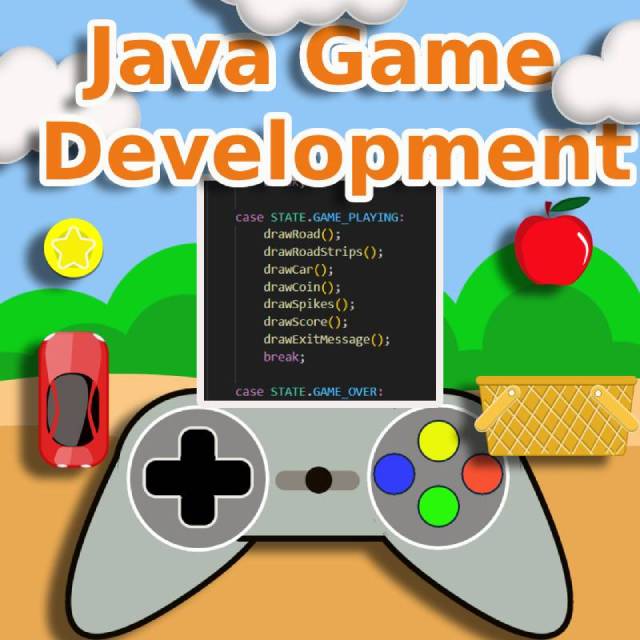
How To Develop Games In Java
When you are just done with learning any programming language, you will surely want to experiment various cool things with it, like creating buttons, labels, layouts with different colors, images etc. If you are a creative person, animation and gaming is something you would be interested in. Therefore here you will understand the concepts for developing games in Java.
Why You Should Learn Java Game Development:
- Sharp your programming skills
- Understand the roots of developing any game
- Create your own independent games
- Do your college projects yourself or provide a service to others
The Basic:
If you have ever worked on Java, you must be aware of a JFrame. It is a better version of Frames in Java. For creating any game, you should extend your class with a JFrame. There are other class like Frame, JPanel etc. but we will not be using that. Because things get very easy when you use JFrame.
The most basic things you have to do first, are:
- Call the setBounds function where you have to pass the x & y co-ordinates, means the location points and width & height of the JFrame. setBounds(250, 100, 700, 500)
- Call the setDefaultCloseOperation method and pass JFrame.EXIT_ON_CLOSE for closing the JFrame by clicking on the cross at the corner with a mouse's right click. setDefaultCloseOperation(JFrame.EXIT_ON_CLOSE)
- Call the setVisible function while passing true as a boolean to display the JFrame / window. setVisible(true)
Drawing:
All that moves or animates, first need to be drawn somewhere, but where exactly? It is the paint method which is specifically made for drawing stuff. It uses a parameter of Graphics object. So in short you just have to use this object and call the methods that you want to display. For example to draw a rectangle, g.drawRect(x, y, width, height) should be called where x & y specify rectangle's location and width & height defines its size. But first you have to call the setColor method to set any color you want for the object that to be drawn in this way: g.setColor(Color.YELLOW).
Moving:
Now here comes the very interesting part. To animate the objects that we created in paint function, we have to implement the Runnable interface to our class so that we can write our code in the run method. Just use Thread class object and call its start method like this thread.start(). Now, in the run method, use a while loop to update the game. The thread will be paused here only with thread.sleep() method. You will also know the importance of Graphic's repaint method.
User Interaction:
Without user's control, the game will be just an animation. By using simple interfaces like MouseListener, KeyListener and MouseMotionListener the interaction with game can be done, which will help you controlling the objects in your way.
Double Buffering:
This is a very important part of the game creation. When we draw something on the graphics object, and update the drawn stuff on every frame, means clear the previously drawn stuff and redraw it on the current location with current attributes like color, size etc., then this causes flickering. To get rid of the flickering or disturbance, double buffering is used. In this process we create a new image and draw everything on that so it becomes very easy to update the objects.
Collision:
In general, everyone knows what does collision mean. But how does this work in game development? Suppose you have two rectangles rect1 and rect2. If rect1 is at x=100, y=200, with width=200, height=100 and rect2 is at x=150, y=250, with width=100, height=80 then there is an overlap of these two and some part shares the same space on the screen. When this overlapping happens, we call it collision in game.
Stable FPS:
There is a very common and important topic in game development. It is also mostly seen in video editing. It is FPS or Frames Per Second. It means the number of frames in one second. Let's take a practical example. Suppose we have a sequence of images of a ball moving. When we see the images one by one, it seems as if the ball is moving. To display all of these 6 images one after another in the time duration of 1 second, the FPS will be 6. Whenever we play any game the smoothness is totally dependent on the FPS of the game. On advanced systems, the FPS is high and on lower systems, it is less. So as the number of FPS increases, the animation looks better. For a smooth animation, the FPS has to be at least 60. When we move any image or text or shape, we can pause the thread for some milliseconds, but it is not the correct way of performing animations. It should be done with some simple calculations. For that we use System.currentTimemilliseconds to get the time difference. By doing this, our game will have no lags and it will run smoothly on all systems.
Easiest And Shortest Way To Learn:
I have created a complete course on how to develop games in Java to help you create your own from scratch and in just hours. There are so many tricks and techniques discussed here which you won't find elsewhere.
Java Game DevelopmentYou will learn things right from the 'Hello World!' program. All the concepts mentioned above are covered in the course but not only that, after reaching to a certain point you will master the techniques in such a way that with just some lines of code you will develop your first game.
Background Music:
You will understand how to play, pause and stop the background music of your game.Sounds:
Without any sound no game will ever be interesting. Sounds add fun. You will learn the simplest and shortest way to play the sound anywhere you wish.Object creation:
Cartoon Face: Without any image or external stuff, you will be able to create your own cartoon.You will learn these animations:
- Cartoon Face Animation: You will blink the cartoon's eyes and lips that we already created before. Also let it speak by implementing the sound.
- Frog Jump: Learn how to jump a frog in the very exact way a frog jumps with very less code.
- Flower: Understand how to animate a flower. With this knowledge, you can create your own designs.
- Moon: You can show the waxing of moon animation with just a few lines of code.
Apple Catcher game:
This game is about catching the apples that are falling from the sky. The user has a basket to collect the apples. When the user/player collect an apple the score increases by one point. When the score reaches to 20, user wins!. The player is given a total of 5 lives, if an apple is missed, one life is lost. This game operates on mouse interaction. Move the mouse to move the basket.
So here you will learn:
- How to add a background image to the game
- How to move the basket with mouse interaction
- How move the apples vertically
- How add lives or chances to the player
- How to create a menu screen operated with mouse interaction
Block Rescue:
In this game, the user has to keep moving the block and should avoid the hurdles / blocks coming from the opposite direction with random speed. When the help of left and right keys, the user's block can be moved sideways. The game gets over if any other block hits the user's one. User's score increases by 1 when other block goes out of the screen. When the score reaches to 20, user wins!.
You will learn:
- How to control the blocks with keyboard events
- How to add random speed to other blocks
- How to increase score
- How the rectangle collision works
- How to navigate from one screen to another
Car Challenge game: This game is a conversion of the Block Rescue game into a Car Challenge by adding more features to it like coins It has sounds, music, menu screen and better look with the help of images.
In this game you will lean:
- How to use a previous game and reskin or modify it
- How to make a road, road stripes with just colors and rectangles
- How to create a menu screen operated with key listener
- How to enhance the menu screen
- How to show Game Win and Game Over screens
- How to make use of coins to increase points
Brick Breaker game: This is the most popular game everywhere and loved by every one. The game play is very simple. User has a paddle through which the bricks can be broken with the help of a ball that continuously moves.
You will learn:
- How to make your own bricks in your own style
- How to make and move the paddle
- How to add sounds to brick hit
- How to move the ball and bounce back when it hits the wall or paddle
You can modify all of the above games and animations and show your creativity. This course will teach things with ease and tricks. Add a new skill to your resume by joining to this course. Below is the link to the course!
Java Game Development
How I Made Money In My Life
In this blog I will be sharing all the legal & illegal, offline & online, small & big ways through which I made money in my life.
Exam
This was the first money I earned in my life but it was totally illegal and I would never ever recommend it to anyone. I was studying in 9th grade and as per the roll numbers a guy named Ravi used to sit behind me in the exams. I had never seen him before as he would come to school mostly to attend the exams where he would always ask me the answers. I would manage to show him my answer sheet.
One day after the exam, he thanked me for showing the answers and handed me 10 rupees. I was surprized and amazed by that but since it was illegal so I refused. He insisted and said that for every exam he will pay me 10. That was one of the most memorable day of my life as 10 rupees were not less in those days when I would buy an ice cream named 'Jumbo Jack' in just 2 rupees. After his many requests I accepted the money but later he failed in that class so again I would not recommend this way of earning money.
Poetry
So far I have written so many poems in Hindi, English and Marathi that a notebook is filled with those. From someone I got to know that if we publish our poems on news paper, the company gives money to us. I was so happy knowing that and without wasting time I went to the well known news paper company Sakal and provided them two of my poems. I was told that my poem will be published and also I will get paid but the amount will be very less. I was totally fine with the amount as I was studying in 11th grade.
My eyes were always on the postman because in those days transferring money was not that easy so only through the postman, money would be transferred.
A few days later, I was walking with my mother on the road and a postman suddenly appear in front of me and asked if my name is Prashant. With an excitement I replied "Yes it's me". Immediately he gave me a parcel from his bag and 100 rupees. He also asked me to do a signature on his notebook.
I was so happy about the money. With the money the parcel that I got was nothing but the news paper where my poem was published.
College Students
Developing my college project by myself was a big boon for me because it taught me how to really create a software project from scratch.
I created so many projects for various students after that. Also I got a good recognition because of that skill. When I used to visit the students who's project I would do, I would get respect from their parents.
Job
Job is the only source from which I made the most money in my life. While pursuing graduation I worked as a customer care executive in a telecommunications company where my job was to resolve customer's query through telephones. In short I was working in a call center.
After that I worked at back office in another company as a data entry operator.
Then I got to work as a video game tester.
Soon after I got the software programmer job and since then I have been working as a software developer. There are so many companies I have worked so far for various job rolls such as game developer and app developer on mobile, web, PC, VR etc..
Friends
I have helped my friends completing their projects many times. One of my senior had a work where the task was to explain the code written in Java. At that time there were no AI chatbots.
I completed his task and he mailed it to the client. In a couple of days he received a mail from his client. He told me that my work gave him so much appreciation that he didn't get in his entire lifetime.
Apps
I was developing games for companies but never knew how to publish those on the play store or any other online platform. But because of the great friends I got in my professional journey I learned everything. Then I started publishing small and simple games & apps that would be interesting for anyone to play. Through this method I generated some money.
Though I had published an app on Nokia's OVI store when the Symbian phones existed but it didn't get monetized. If you want to try, you can play a game called 'Trajectory Game' which is available on play store.
Freelance
With the help online freelancing websites I have completed projects of many people. Also I had gained a good reputation as everyone would give 5 starts for my work. There are very strange experiences I had which were both good and bad.
Doing freelance not only just helped me generating money but I learned various new concepts and improved my communication skills through it.
Clients
A guy from Cambodia was one of my client in the year 2015. He was an expert in Automation & Control System and to gain some more knowledge, he had come to Mumbai. My dad was working as a faculty in teaching the automation and he was one of his student. In Mumbai, he was searching some organization where he could learn software development, but he didn't get anyone who can teach him that one to one. He came to know from my dad that I work as a software engineer so through my dad's reference he met me. After interacting with him I came to know that at first he wanted to learn Android from scratch but to learn Android at that time Java was compulsory to learn Android so I taught him Java.
Google Pay
This was one of the most interesting ways where I made little but easy money.
There was a time when Uber Eats was giving 80 percent of discount on foods and Google Pay was also newly launched. Google Pay is a convenient way of transferring or paying money.
After receiving food through Uber Eats from the delivery person, instead of paying them cash I would create their Google Pay account. Google used to pay some money to refer others.
Udemy
As I spent my most of life in developing games so I have published a courses on Udemy about the easiest way of developing games in Java. With the help of this anyone who has a little bit knowledge in Java, can understand the secrets and tricks of game development.
Other than this, I do have published a course on Blender software, which has the capability to create realistic looking graphics, animations and games. One can create their own models, art and much more. The videos in this course are super short to make sure that each and every concept is taught with ease and clarity.
I am about to launch a course on OpenCV which is one of the most important and very demanding topic for the future jobs and business.
eBooks
I have more than 15 eBooks on Google Play Books and Amazon's Kindle Direct Publish (KDP). These books are very useful for almost every category of human being. Not huge but I make a decent amount of continuous money from it.
Occult Science
I was and still I am very much keen to know about myself as well as about the world, so I learned astrology and found that every thing in this planet is affected by the solar system. Each of the planet does its role. Due to my curiosity, I learned astrology, palmistry, science of architecture, moleosophy and many others.
I often get offline customers who want to know about themselves.
YouTube
I had made so much money from YouTube so far that I bought a two wheeler from it. I never showed my face till now as I don't want like. Still I have nearly 125000 subscribers on it.

How I Would Learn Coding With AI
The world has changed so much that previous way of learning coding or programming will not be the correct way as there are so many drawbacks that will eventually keep you at the ground level. Here is the difference why you must adopt the new way of coding:
Before AI
- There were only books, documentation and courses to learn
- Most of the time only theoretical knowledge was available, and we had to do practical by our self
- There used to be very limited knowledge in the internet too
- Only a few people were expert in Programming
- The answer / solution would not be exact though entering precise and to the point questions in the internet
After AI
- AI has most of the content available so no need to search in books or other places
- Each and every concept is taught with theory as well as practical
- Vast knowledge is available so it can be accessed at any time
- Because of the AI anyone can become expert in any field
- The very precise and exact answers are provided by AI for every single question
No Need To Use Paid Version Of AI
There are so many AI chatbots online and each of these are capable of doing that we have can't even imagined. For example you can:
- Click a picture of any document and ask the AI to explain it,
- Read a paragraph in your voice by just uploading a sample of your voice,
- Make a website by writing the description,
- Remove background from image,
- Create a video of yours with just uploading your picture,
How To Leverage AI
To learn coding or anything from AI the first thing that you must have is clarity of what exactly you want. The AI will respond you very well when it will understand your needs. Though it will provide you with descriptions if you just type 'Java' and hit Enter. By doing that the AI will give you description about Java programming language which is not exactly what you were looking for. For example you go to a shop and just say 'Snacks', the shopkeeper will get confused and may provide you a random biscuit or chips but you wanted something else.
Prompts
Suppose we want to learn Java, so we will understand how to use prompts to learn it. Let us use a free version of any chatbot. So to learn Java from scratch assuming that you have zero knowledge of programming, you can write a prompt like this:
"Imagine I am a school going kid who has no idea of what is Java programming. Please teach me step by step." The above prompt will be perfect to explain or teach you the very basics of Java.
If you have some programming knowledge of any other language such as C or C++, your prompt can be like this: "I have the basic knowledge of how C and C++ works, I know what are variables, classes etc. Can you teach me Java from this level."
Your prompts should be precise so that the AI can generate results according to that.
Ask Problems From AI
You can ask AI to provide you code with bugs and your job will be to fix it. This way you can learn very deeply each and every part of the programming.
Code Evaluation With AI
You can ask AI to check your code and suggest the best way of writing it. Suppose you have created a calculator application, now your code may be working but as per AI it could be more optimized, so that you can correct it and write in a more sophisticated way.
Practice Is The Key
The AI will help you throughout the day but if you don't do it practically, things won't be clear. Doing practical makes a big difference as you understand the importance of a single semicolon or a dot in the programming.
Experiments
When you try writing small programs, you will notice all the concepts are cleared one by one. By experimenting you surly get errors and because of those errors your skill will be developed.
Here is something that I like very much about experimenting things: "Most of the biggest inventions are happened just because of trying and experimenting things."
Small & Step By Step
Whether you use AI or not, the main thing is to start with small. For example first write the 'Hello World' program, then write a program to add two numbers and likewise move to more complex things step by step. Moving directly to a hard concept will ultimately pull your interest out of it.
Relativity
While you learn programming, if your learning is relative to the last concept, it will help you succeed faster. Let us understand what does it mean. For example you understood how to use a switch case and you created a program too. But as you keep practicing after some days you may forget how to use it because it was just learned and never used. So try to use every concept that you learn in most of your programs.
Development
This is the most important and essential thing that does miracles. When you develop a simple application, you get the confidence of achievement. Start with creating a simple button click app which just increases the number on every click. Soon automatically you get the idea of doing more than that and you excel.
Once you are fine with basic understanding of classes, methods etc. you can try creating your own game in Java. If you want to learn here is the link: Java Game Development Most importantly you can't learn whatever is taught in this tutorial from AI.
Solve Quizzes
There are hundreds and thousands of quizzes on the internet for practicing Java or any other programming language. You can find all at knowledgemiracle.com itself. Just go there and keep practicing. For your convenience it is made simple and easy so that any one can practice & play it. Once you get better in it, you get more and more confidence. In fact this is the most easiest and shortest way to learn with fun.

How I Spent My Graduation In Computer Science
My background
I am a simple Indian guy who completed all his schooling till 10th grade under the C.B.S.E. (Central Board of Secondary Education) system. Mostly, children of military personnel study in these schools. My dad worked as a soldier in the Indian Air Force, so I studied in a C.B.S.E. school.
I was an average student who usually scored around 60 percent marks. In 10th grade, I got exactly 60%, so I chose the science stream and joined a state board school for 11th and 12th grade.
I was somewhat good at math and very interested in computers. My typing speed was more than 20 WPM at that time as I had a video game with a keyboard. I just practiced typing on it again and again. You can read the full story about it in another article.
Selecting a College
My dad always insisted that I get an engineering degree in the software field, but it was expensive, so I never really wanted to do it. I was afraid that if I didn’t perform well or failed repeatedly, everyone would point fingers at me.
I filled out the engineering admission form and gave the exam, but fortunately, I didn’t get admission anywhere. My dad then found an alternative to engineering, which was BCS, meaning Bachelor of Computer Science. Again, it was a little expensive, and I didn’t want to do that course either. Instead, I just wanted to complete a plain B.Sc. (Bachelor of Science) degree, which cost much less money.
I wanted to get a job and free myself from the burden of studying, but because of my dad, I agreed to do BCS on one condition: I wouldn’t pursue my graduation from an expensive college. The deal was done, and we started searching for various colleges.
College enquiry
One day, my dad and I went to a college. We were just about to enter when my dad wanted to talk to someone first and find out whether the education system and teaching there were good or not.
A guy was walking around, so my dad stopped him and asked whether I should study there and if the teaching was good. The guy politely replied, “Uncle, this college is cool. Let your son study here…” while making a stylish gesture with his hair.
We took a closer look at him. The guy looked like a punk and was dressed like a thug. Dad and I looked at each other because it was a really funny moment. We thought we should give it one more try. Then we asked some decent students, and later we came to know that all kinds of students studied there. Overall, the professors and their teaching were good, though the other things were not that great.
My Graduation College
I joined the same college. It was a bit far from my home. My 12th-grade friend Sameer, who lived right in front of my house, had also joined the same college, and we used to sit on the same bench.
Later, I came to know that three other friends from 12th grade had also joined. Out of those three, Vinod, Sameer, and I formed a separate group. There, I also met two other friends, Zeeshan and Aditya, who later joined our group.
Mentality
Since my childhood, I had always heard that people go to college to enjoy life and colleges are meant only for fun. Anyway, except for programming, everything else was boring to me. We were punctual only when it came to submitting assignments. I honestly don’t remember when we ever studied seriously.
After college, around 4 p.m., we used to eat snacks like vada pav, vada sambar, and dal vada. By the way, the “dal vada” snack is still famous in 'Khadki Bazar' you should definitely try it. Those moments were really nostalgic.
Sameer, Vinod, and I used to travel to college together by changing two buses, which would take nearly one and a half to two hours. To catch the second bus, we had to wait at a bus stop located in front of a multiplex, so every day we would see posters of movies playing on different screens. On top of that, morning-show tickets were extremely cheap.
We often bunked college to watch movies. A movie usually stayed in theaters for at least a week. One day, Vinod and I were absent, and only Sameer was going to college. While waiting at the same bus stop, he saw the poster of a comedy movie and couldn’t resist watching it.
The next day, Vinod was absent, and Sameer and I were waiting at the bus stop to go to college. Suddenly, Sameer started laughing while looking at the poster. I asked him what happened, and he replied, “This movie is so funny. I watched it yesterday and really enjoyed it. Do you want to watch it now?”
I asked, “But will you come with me?”
He was ready to watch it again. I asked him how he could watch the same movie again when he already knew the entire story. He replied, “I liked it. If you want to come, let’s go.”
So both of us bunked college that day. The next day, Vinod was also with us. The same thing happened again, and all three of us watched the movie and bunked college. So, Sameer bunked college three times, I did it twice, and Vinod once.
All of us thought that graduation would somehow complete itself without much effort. Near my home, there was a playground where Sameer, I, and many other friends used to play cricket.
Soon, the exams started, and without much pressure, we finished them one by one.
Results
All of us were chill and carefree, without worrying or even thinking about the results. On the day the results were announced, we all gathered at the college, where a huge surprise was waiting for us.
Our syllabus had 12 subjects, and for BCS students, a Year Down (YD) generally happened if a student failed in more than 50% of the subjects. So, if a student failed in 5 subjects, there would be no YD.
In our group, not a single student passed. Each of us had failed in at least 7 subjects. Since everyone had failed, there was no sadness at all. We all laughed loudly and came back home.
Whenever our parents asked how this happened, we would reply, “We all got YD. Actually, almost everyone in the class failed.” Since there was no college for the time being, we spent our days playing cricket and wasting time.
A few days after the results, one evening I returned home from the playground with a happy face and saw someone sitting beside my mother on the sofa with an upset expression. She was one of my mother’s friends.
I looked at her and asked, “Hi aunty, what happened? Why are you so upset?”
She replied, “Don’t worry, my child. God will help you. He will settle everything. Just keep faith in God.”
I got confused and said, “But you are upset, right? You should be happy like me. Look at me I am always cool.”
My mother interrupted the conversation and shouted at me, “Idiot! You got a YD, and that’s why she is trying to console you.”
That was a new kind of pressure I started getting from the people around me.
Job
I decided to get a job and earn some money, but even for a simple domestic call center job, one needed basic English-speaking skills. Many of my English concepts were not clear, so I joined an English-speaking course.
I used to travel 16 kilometers by bicycle to attend the classes. The course lasted for about two months, and during that time many of my concepts became clear, such as past tense, the use of “would,” and I also learned new vocabulary.
As my English course was about to end, I came to know that interviews were going on at a domestic call center, so Sameer, Sudesh (another 12th-grade friend who used to live behind my house), and I went there together. For some reason, only I got selected.
This was the first job of my life, and it taught me many things. My first salary was 50 dollars, which felt like a huge amount of money to me. I didn’t know where to spend it. I gave treats to my friends, purchased non-fiction books, and bought clothes for all my relatives.
My parents were somewhat happy to see me working, but the year was ending, and I also had to complete my graduation. So, after a few months, I resigned from the company.
Friends split
All of us started our second year again, but both Sameer and Vinod joined another college, thinking that a better college would help them achieve something more. I already had great friends in my current college, so I decided to continue there.
As time passed, I met two new friends, Sanjay and Vivek, who were very studious. So now our group included my previous friends, Zeeshan and Aditya, along with these new ones.
This time, all of us were a bit more serious about our studies because of our previous bitter experience. Very soon, we entered the final year, and the day finally came when we had to submit the details of the project we were going to develop.
In this way we complted our graduation. You can read the complete story about my life's first project in a separate article.
Story of My First Java Project
How can I forgot that day when I just saw the first program in C language. It happened in 2007. In those days the C programming was done and practiced using a software called Turbo C. This software had a blue screen for writing the programs with text in white color. We students used to practice by writing our code in the computer lab. In those days the computers used to have RAM of 256 MB. I didn't have my personal PC so I used to study at college's lab. One day I told my dad about the necessity of computer as without it I won't be able to practice programming. This is only something which will be the most important part of my education. So after some days at my dad's office, someone was selling his old laptop. It was so old that in even those days no one would buy it. This laptop was a Pentium 4 version of Windows and had a 64 MB of RAM with 10 GB ROM. I don't know how many this laptop was bought and sold. I was sure that this was not a second hand laptop. It was having some scratches and at few places the color was faded. Dad described me the condition of it and also said that it is working perfectly. For me, learning C was the top most priority so I told him to buy it. Dad bought it, we painted it with black color to look good.
My neighbourhood friend Sameer who used to stay at the front of my house, had just bought his brand new desktop PC. He was very curious to know when is mine coming because I had already informed him that I am not going to buy a desktop computer, instead I will buy a laptop. So after the painting was over and it was kept for drying, on that only day, I called him. He came with an excitement on his face and a curious gesture. This was my life's first closer view to a laptop and so was his. Sameer was again eager to see how to start it and use it. After some time I showed him how it starts by pulling a button at left side, how the small semi-sphere shaped mouse used to work and lots of other things. There were other three friends, but we used to meet at the college only. In those days, among the friends, whenever any of us would buy a new stuff, the buyer had to give a treat to others. In our case all treats got cancelled as everyone bought the computers and laptops around same month.
Within just no time I installed Turbo C in my laptop, and ran my first C program. The program/code was about addition of two numbers. The console showed me the correct result as output which really gave me another level of joy and confidence. My typing speed was already more than 20 WPM so writing programs was easy & fun for me. On that old laptop I learned so many things including C, C++, Data Structures and many others. I never wanted to study anything in my entire life but programming was only the thing I was mad for. In my college, we used to have practical of programming in the lab and all the students were given a separate system to practice whatever they learned. Everyone would write programs by looking in their notebook. Spending time in computer labs was always my favourite thing to do. After completing the given task, I used to make various designs and animations in C and C++. My friends would gather around me to see what new I have created today. One day I animated my name with stars and looking that others too tried to do it. I helped each of them to create their names with animation.
Days passed... I was now in my 3rd or final year of graduation. Java programming language came in the syllabus. I had heard a lot about it before and I knew that Java is used at so many places like in microwaves, refrigerators, JCB's and even in mobile phones. I was amazed by knowing that through Java we can create buttons, window, labels, text-fields etc by just writing code. So the first thing I did was, I called my best friend Sudesh, who used to stay two houses back from my home. We both often used to roam, eat and buy books from the main city. So I took him to purchase the 'Java: The Complete Reference' book. It was brand new with milky white pages. The book was big, bulky and weighted almost a kilo. My friend lifted it and said, 'this is a nice tool for workout'. We laughed and came home. After two and a half months, he came to my home. We were discussing about where to go as we were always finding new places and visit those. Suddenly he pointed out to a book and said 'What are you doing with this old book with yellow pages, who reads this heavy book and what is it for?'. I smiled and said 'This is the book that we bought together before 2 months. It is 'Java: The Complete Reference'. He got so surprized because the book itself was saying that it was used and read so many times. He said 'Bro you are crazy'. I had used that book since the first day I bought it. Because of it, so many good things happened.
In my college, we students had to submit the details about the project we will be doing for the final year. We were given the option to either create the project independently or in groups of 2 to 4 people. My college friend Sanjay told me to do it together. We both divided the work. I will be doing the project development and he will do the documentation part, so both will do our job independently. I had literally no idea about how does a project look like, as I was only good at doing coding / programming etc. So after thinking a lot, I mentioned that, I will be developing a game in Java. It felt so proud but without any knowledge I was surrounded by only worries and frustration. It was 2007-2008 and I wasn't that smart to find stuff from the internet, copy the game and complete the project. All the game development on the internet were very hard to understand. I wanted something way easier than that.
Leaving everything to god, I started experimenting with Java. My friend Sameer, who used to stay at the front of my house, came for borrowing a book. He found me frustrated laying on the bed. He said 'You have made a big mistake, you should have mentioned some simpler project. Game development is way harder compared to what others are doing.' He took the book and left. His words were just circulating around my head and because of it my frustration got higher. Whatever confidence I had gained, all flew away. I was so skeptical about the completion of the project that I forgot everything and spent hours sitting and thinking.
There was a lot of time to show a short project demo, so without wasting time in thinking, I kept trying different ways to reach the goal. I learned the Applet, Graphics and shape creation. I was able to draw simple objects in Java. Many times the program used to crash. Day by day things were getting clearer. I could now do things like blink, scale and move objects in Java. My goal was to create a car game in Applet. Applets were used for web based games in those days and are no longer used now. Sooner I created a continuous moving road and placed a rectangle on it. The rectangle will be the future car. With the keyboard keys, I could move the rectangle left and right. All this was enough to shoot up my confidence to the sky. Various small success one after another gave me enthusiasm and excitement which finally made the project complete on the day we were supposed to show the demo and before project submission.
But there was a small problem with the game. The game had a lot of flickering and disturbances whenever the car was moved. To cover that issue for that time, I reduced the speed of car to minimum.
In the college, everyone was appreciating me because others were buying the ready made projects and only few had their own. On the top of that it was a game project which made it more unique. My college mates were asking me that from where did I learn to develop games. The professor was also very happy knowing that we were doing it and not got it ready made from somewhere.
I showed the game to Sanjay. By spending some time I explained the code line by line to him. His Java concepts were excellent so he understood everything easily and effortlessly. Now here comes a turning point. Sanjay got the total concepts & main points so quickly that he created his own game. After another couple of weeks, he came with a better version of his game and wanted that to be show in the project submission. I spent days & nights to discover, learn and create the project from scratch so it was very disheartening for me to hear that. By the way his game too had that flickering and he even asked me how to fix that which I didn't know.
Finally the project submission day came and I was done with the game. This time the flickering issue was fixed. I never discussed with anyone, how. My project was shown to the respective person as his had a lot of disturbance. He asked me that how did I fixed it.
Here I am not blaming Sanjay or anyone. In actual he was a great friend of mine and still we are good friends. I know if someone has got a skill then he will surely want to show it, but for me it was a huge learning. I think God didn't allow me to create the full game before because he knew what will happen and what should happen.
By the way I have created the course on Udemy for everyone Java Game Development

My Post Graduation
Hope you have read my previous article about 'My Graduation', if not please do.
Now why did I choose to do post graduation when I used to hate studying. There is a big reason for that. Actually I was getting jobs at call centers but my passion was in developing games. I had earned good money by creating projects for engineering and computer science students. And the main reason for not working in call centers was my education which was only meant for becoming a software engineer. So I thought that I will get a software job without any problem. Struggled a lot but no one wanted a fresher, every company was looking for experienced programmers. Suddenly I got an email from Gameloft to create a 'Brick Breaker' game in Java. That was easy for me so I completed in few days and sent the code. They asked me to relocate as the company was more than 500 kilometers far from my home town. I thought I will get the job near my city, no need to go anywhere. For another six months I was just struggling and looking for job but didn't find any. The same company sent me an email for completing a new game. As there was no alternative, I again completed that and waited for their call. They called me at their office which was more than 500 kms for another round of interview. I had to go there, so I went to the company with my dad and completed the interview process. Fortunately I got selected. It was a great achievement for me so far.
Finally I joined the company. I did all the formalities. In that company almost everyone was an engineering or a post graduate student. Later I came to know that others who just got pass-out from college were getting high pay for doing the same job that I did, just because they had done either engineering or post graduation.
I came back to my city to pursue M.C.M. meaning Masters In Computer Management. The college where I did my post graduation was small but with adequate amount of space for parking and separate area for playing volleyball. Professors were great and the students were also excellent. There I learned some management skills, new programming language like Dot Net and various other things. The syllabus was easy for me as while pursuing B.C.S (Batchelor In Computer Science) most of the concepts got cleared. I only wanted a Post Graduation Degree on my resume, therefore I did this course, so that there will not be any differences in salary for doing the same job. Usually people used to approach this college for getting a degree while working.
My job and M.C.M. both were going simultaneously. On Saturdays I would attend the classes. Occasionally there used to be celebrations and fun activities in the college. The professors were like my friends, they were so helpful and cool that I never got any kind of pressure of completing any task. Even they allowed me for some delay when it came to submitting the assignments. I have got so many complements so many times because I was good at typing fast, had good communication skills and also was technically sound.
I would help my friends by solving their technical issues in college and even through phone whenever they would get difficulty. Because of this I was getting much appreciation and also I remember one day my professor took me to the seniors student class to teach them some subject as I had already worked on previously, that subject was in their syllabus. In some time I mingled up with my seniors too.
Because of my typing speed, in every practical of SQL the professor used to speak the query and I would type, so that all the students can learn. By doing this, my technical skills also improved.
As I got familiar with everyone, the fun part of mine started to emerge. I made a new trend where if someone asks any thing like who has the book I would point out to a guy whose name was 'Mukund' and I used to say 'Mukund has it'. Pointing towards 'Mukund' was a short answer that I don't have the book or I don't know the answer. Just fun. If the professor would ask 'Who can answer this question', I would say 'Mukund'. This fun kind of thing expanded and day by day Mukund got famous. In a few days everyone would do the same except Mukund. As it was just for fun so none of the professors took it seriously.
It was decided by the professors that someone will have to give a speech on the stage on Independence day. My friends submitted my name without knowing that I had stage fear. I spent a lot of time to gather information, structure it and write the script. After that I was doing a rote learning of it. The day came and it was my life's first stage speech. There was pin drop silent everywhere. My heart beat took speed and I could not understand what to do. I had heard from somewhere that in tough situations just keep a smile on your face so you look confident. I did the same and stood on the stage. Took out my script. I found the letters were changed. Then I realized that I was holding it upside down. I rotated it to 180 degree, now I could understand what was written on the script. I started reading it fast without looking at the audience and came back on my seat. Maybe no one understood anything what I read but I got my breath back as I was done.
The college provided the students not only education but enjoyment too. Our college was decorated with balloons and plastic materials as it had organized a fun day where we had to do ramp walk, sing a song, dance and do various other things. I couldn't do any of these as it was out of my interest and experience. I knew dancing only when I was in 10th grade. But because it was a mandatory thing to do whatever was told, so I sang a song.
I remember one day the college had offered lunch for all students. We all went to the restaurant. The waiter looked happy with a mannered gesture he welcomed us. He arranged the plates and glasses. It was an unlimited lunch so we all were ready like the soldiers get ready for battle. You can guess the quantity of meal consumption of a college student. The waiter seemed fresh and was enthusiastic. He started serving us one by one. We praised the college and started eating even before all the items were served. Anybody can understand that we were students so there was no objection in doing that. Now the waiter got a little fast in his serving as everyone's plate was getting empty and he has to refill it. His enthusiasm and happiness was slowly getting faded. He served, served and served without taking a break but still students were ready for more to come. The waiter now got tired and exhausted. There was no one who so far was done with the lunch. The frustration of waiter started to appear on his face. We were enjoying the meal but our pace was reduced a bit. With no emotions on face, the waiter asked us if we want anything. Finally after an hour and half we finished the lunch and the waiter also took a deep breath. Some of my friends were not able to walk because of too much of food and heavy tummy. Some of the students couldn't walk to college due to over eating. Anyway, we all enjoyed it!
Also once we went for a picnic in the morning at around 5:30 am. Buses were arranged by the college. The whole day we all enjoyed a lot by doing many different things such as visiting beaches, snacking and roaming.
After a few months I got a call from a company that was around 20 kms away from my home. I appeared for the interview and after completing multiple rounds, got the offer letter. Whenever the exams would start, I used to take a leave from my job to attend it. So the exams got finalized and I got my hall ticket.
It was a Wednesday and I got call from one of my friend asking me if am I ready get to the exam hall. I checked the hall ticket that today there was no exam, it was on next day. So I understood that he is kidding me. I laughed and told him that I am not coming. Saturday came and I had already planned to eat 'Dosa' (It's a delicious breakfast) and then to sleep for hours. In few minutes I got a call from a friend asking me if I had prepared for today's exam. I told him not to fool me as it is a holiday. Then he replied that he will be in the exam hall in some time. I thought he must be kidding so ignored. After half an hour I was about to have my breakfast and for no reason I looked my hall ticket. I just got stumbled as I came to know that there is an exam today of 'PPMOB' that is 'Principles and Practices of Management and Organizational Behaviour'. I had not studied a single page, thinking that it is on Monday and I have two days Saturday & Sunday to study. I rushed, without having breakfast, went to the exam center, thought I was late but any how reached. After the exam all of my friends and me gathered, we all laughed to this instance. Finally in my result there was a twist. I had scored highest in PPMOB. This happened because it was one of my favourite subject.
This is how I spent my post graduation, hope you liked the reading.

Blender - Create Anything
There is a software or tool that can create and do almost anything. It even works in 3D. Also, it is totally free. Can you believe it? Yes, it is Blender. People use this tool for various purposes because, in today's world, it can be useful everywhere.
After knowing its benefits, I always wanted to learn Blender, so I downloaded it from the website. I thought it should be as easy as it seems, but when I tried to move the default cube using mouse interaction, there was no response. So it was clear that Blender is not that simple. There are so many videos, blogs, and tutorials about it, but I found almost all of them much too complicated. I could not find someone who could teach me Blender easily. So I tried to learn it from all over the internet, followed many YouTube channels, went through articles, and learned things from any source I could find. After struggling a lot, things became clear one by one.
Why I learned Blender?
Although I like doing creative things and I know game development in Unity3D, learning Blender was for a different reason. I was using a tool (the name I don't remember now) for creating digital invitation cards some time ago, which was paid. Its trial period had ended, so there was nothing that could match it. With Blender, it was possible to create any kind of animation, so to continue my work without any hurdles, learning Blender was a very good deal for me.
Keeping all this in mind, I created a course where you will learn Blender right from the basics, with everything clearly explained. Each and every video is very short. The course starts with understanding how to create simple objects like cubes, spheres, cylinders, etc. Then you will learn how to position, rotate, scale, and modify these objects in other ways. There are more than a hundred topics covered in this course.
Other than this, there are many benefits to learning Blender, and each of the above features is unique with tremendous possibilities. Let us understand them.
Create Realistic ModelsYou can create various realistic-looking models that can be used in software such as Unity3D, Maya, AutoCAD, and many others. Model creation using Blender gives you multiple options such as enhancement, beautification, coloring, texturing, and countless others.
For example, you will learn how to create simple models like a chair just by using cubes and applying loop cuts to them. It will only take a minute or two to complete the whole model.
Do Both 2D and 3D AnimationsCreating 2D animations with Blender is much easier than with many previous software programs that cost a lot and provide minimal output. Not just 2D, you can also create 3D animations to make the visuals look highly realistic.
Animations are among the things that are and will continue to be required by every business. From a child to a large organization, animations are used to bring changes to their lives.
There is no need to describe how one can monetize animation skills, as we have live examples everywhere around us.
Texturing the ObjectsWith the help of texturing, you will learn how to make things look alive and realistic. The course will teach you different ways of applying textures, as they can do wonders for your objects.
Video EditingBlender also supports video editing, so you don't have to buy or use any other software specifically for your videos. The complexity of video editing is greatly reduced in Blender.
VFXEveryone in today's world likes special effects, from a child to a mature adult. With Blender, you can add special effects to your videos without any difficulty.
Asset CreationAssets in Blender are nothing but reusable items that can be helpful in creating your projects. Examples of assets include models, materials, animations, etc. For example, you can use or leverage these in your films, scenes, or games. You can also sell and distribute them to help and support the projects of others.
SimulationNowadays, simulation projects are growing very fast. I have worked on various simulation projects while working as a VR developer. Such simulations are highly in demand, especially in the healthcare and medical sectors.
CompositionComposition in Blender is the post-processing stage where you enhance and layer your rendered 3D images or video footage. The Compositor workspace uses a node-based system to add effects such as color correction, glare, and blurs, and to combine separate render layers together.
SoundsBy adding sounds to your animations, models, VFX, and every other creative work, things can go much further. Blender supports adding sounds in the way you want.
Exporting VideosIf you want to showcase what you have created through a video, there are options to do so. You can simply export your video in MP4 or another format and send it to your friends or loved ones. It's that simple and easy.
Other than the above-mentioned topics, I have tried my best to include many concepts in very simple and easy language so that anyone with literally zero knowledge of using software can understand the course easily.
With the help of this course, you will create your first small project in just a couple of hours, as this course is straight to the point and precise.

How I Learned Fast Typing
It was an afternoon and I was doing some work, the TV was ON. From another room I could see the TV so just had a glimpse. I saw a video where a guy was moving his fingers on the laptop so fast while speaking to someone. I came closer and observed it carefully. I laughed, my dad looked at me and asked 'Why are you laughing?'. I said 'Now a days how people fool others, see this guy, he pretends to type on the laptop, do you think it is possible to type so fast in this way?'. My dad replied 'Such people do exist, and they really type as fast as this guy does, they have excelled the skill'. I was so impressed that this incident made me crazy to learn typing as the guy did but I had no laptop or PC.
One day I was out with my dad in the market. While walking on the lanes, I saw a box with an image of keyboard and something game like text was written on the box. I had never seen such thing. No one would imagine only keyboard without a monitor. Since I badly wanted to learn typing, I just moved closer and read whatever was written on the box. It was a video game. Still I was confused that how could be a video game have a keyboard with it. My dad too saw it and while pointing towards he said "This is a very good video game, it helps us increase our typing speed". Then I understood about it. I already had a video game which I got after doing many requests to my dad, now there was no way to even think about a new one. Also the keyboard video game was very expensive. I looked at it and thought, this is way big dream and I will never get it.
Months passed and my old video game was almost dead. I never told it to anybody due to fear but later dad understood, as he never found me playing. Dad himself told me that we will buy the keyboard video game, maybe because he wanted me to get used to the keyboard. In some days I got my dream wish, it was only the keyboard video game. The joy and happiness that I experienced cannot be described. I finally got the thing which I always dreamed about.
Within no time, I learned how to place the fingers on the keyboard and just practiced and practiced only typing. I forgot the actual games and practiced day and night only typing. In some days I got a good grip on it. Very soon my typing speed increased to 20 words per minute. With such a continuous practice, a point came when I noticed that I don't have to look at the keyboard every time a key to be pressed. That gave me a lot of confidence so I kept doing that and finally I crossed the speed of 50 words per minute.
The reality:Later I came to know that I am nothing when I found that in real word there are people who have more than 300 WPM. In actual most of the people who work in back office or as a data entry operator have more than 60 WPM. I was happy with me and all I learned and achieved was not to do comparison with others.
Benefits I got from fast Typing
12th Grade:When I was in my 12th grade, there was a subject of basic computers and HTML scripting. In the practical exam of the same, I finished everything quickly and helped others.
Graduation- My overconfidence went wrong:In my graduation practical exam, many students secretly brought pen drives with them to copy. The students were supposed to complete two questions by writing and running the code / program, also every program should be first shown to the external examiner. The external examiner's job was to check the practical line by line and approve it. He can only decide to pass or fail the student. I was confident in coding. He started distributing the question paper and as soon he gave the question paper to the last student, I was done with typing and running my first question's program. I called him and showed the code. He said "You have copied, come on show me where you have hide your pen drive, in just a short period of time no one can write it". I told him that I can do but he didn't listen, even my two friends also told the same but he was ignoring. I also asked him if I can retype everything but he said he doesn't have time and he failed me. That day taught me not to be an over smart.
Post Graduation:Typing not only helps you completing your work but it also makes you look different. I remember when I was pursuing my post graduation, at first I was a normal and simple guy (which I am still) but when everyone came to know about the typing, the view of everyone was changed. People were considering me smart person just because of it. In my post graduation collage lab, professor of SQL used to ask me to type the code and all the students would note it.
Freelance:I have done a lot of freelance job both in tech and non-tech. Once I was working on a project where I had to write description about a product which was from Russia. The client had given me idea about it and my job was only to expand it by writing a detailed description. Multiple articles were needed on the same product. Just because of fast typing I completed it in a very short time.
Job:In my job, typing helped me a lot. I would complete my work in very less time. When I was working in a company as a game developer I was given a week to develop a game from scratch. I completed it in one and a half day. My friends used to look at me typing and ask how is this possible. My boss also got impressed and surprised many times.
Now a days, typing may seem not very important as technologies like 'Speech To Text' are doing great job but as far as I know mostly people prefer to type rather than to use Speech To Text. If you visit any hospital, office, hotel, mall or any organization you will find someone typing on laptop or a PC.

How I Got Crazy For Studies
This is a story of me in the year 2001 when I just moved to Delhi which is the capital of India.
Previous to this we were living in another city Pune of Maharashtra state till my 7th grade. Because my dad was in Air Force he got posted to Delhi, so we all had to move.
As there were no vacant quarters in Air Force residency therefore for some months we were living in a rented room in Palam. We were living on the second floor. The owner and his family was very polite and kind and they were at the ground floor.
I got admission in the K.V (Kendriya Vidyalay) No. 2 Delhi Cantt school in 8th grade of C.B.S.E (Central Board Of Secondary Education). It was (still it is) a very big school as there were many things that made it huge, like multiple classrooms for students till 12th grade, a very big ground to play, canteen, big area to do morning prayers & physical training and also a walking path with a lot of space around the school.
I met many students over there, most of them were like me average in studies, very few were extra talented and only one or two were rowdy or of boast nature.
After spending months, we moved from a rented house to the Air Force Quarter. Now the school bus used to come near my house around 100 meters. Many school going kids like me had to wait there for the bus where I met a guy Narender whose appearance was a bit dominating or aggressive. We both were studying in the same class but we never talked.
In few days Narender and I became good friends. Because of him I met other friends and I could play Cricket which was my favourite game. I used to spend lots of hours outside in just playing cricket.
Days passed and we all were in 9th grade now. My parents always used to shout at me for not studying and playing cricket.
At the time of exams as per roll number a guy named Ravi used to sit behind me. He was always asking me the answers in exam and some how I used to manage to show my sheet to him. Later one day he offered me 10 rupees and said, "This is for showing me the answers. I will give you 10 for each subject". I was stumbled at that point as my total pocket money for a month was 50 rupees and he is giving me 10 for each subject. I refused to take the money because it seemed an illegal act, also if someone get to know about it then my image will get tarnished. He kept insisted me and finally I agreed to him. Now before the exam I was doing a bit more study not to get good marks, but to get money. Money was a bigger reward for me than the marks as in 10 rupees I could get a lot of things to eat at the school canteen.
Unfortunately this didn't go long as Ravi failed in 9th grade, maybe because the teacher have noticed everything is copied in his exam sheet. Due to this my interest also came down and my extra study stopped.
Now we were in 10th grade where studying with only school books was not enough, one has to have other extra books and tuition with it to get better marks so I started studying from Kunjis. At that time (I don't know if it still exists) a Kunji used to be a small book that had only questions and answers which costed way less money compared to guides or reference books. My main intention of reading from Kunjis was to save parent's money because if I would buy guides or reference books and score less marks then everyone would blamed me for wasting money. I remember that day when one of my friend Manish saw the Kunjis in my hand and said to another friend "If Prashant will study from Guides, he will be in top scorers". I felt so good to hear that and I too knew that would happen but not having interest in study was also one more reason for buying the Kunjis.
I was now in the 10th grade, also known as SSC (Secondary School Certificate) which has a lot and lot of importance in India. The parents of every student get very strict to their child as the marks scored in SSC becomes an identity so people will treat likewise. My parents were not that strict but they always shouting at me to study. I would ignore it or do some study in their presence to feel them satisfied. My parents used to get calls from relatives and their friends asking how my study is going as I am in 10th grade now. Day by day my mind got saturated about the fact that SSC will either make me or break me but still I didn't take it seriously.
While pursing SSC I never stopped playing Cricket because it was my favourite game. One day I was playing Cricket near my house with all of my friends on a small play ground. Everyone of us was studying in 10th grade except 1 or 2. I was a great fielder and I would not let any ball cross me. Whenever I would catch the ball or stop it, I would get an appreciation from every one.
With an excitement I was expecting the ball to come at me so that I can catch it and make the batsman out. The batsman hit the ball, it came so fast and I grabbed it as usually I do all the time. This day something different happened. The batsman came towards the bowler and they were discussing something. When I reached there, I came to know that their conversation was related to studies. One was saying "My 75 percent study is done", another guy said "I have completed every thing, now I only have to revise". I thought, "Do we have to study now?, there are some days for the exam". I would study only where there were two days left for exam, but after listening their conversations I found myself at no where as I had not yet started it. Also suddenly I got visuals of all the relatives and neighbours asking me about my marks. Many such thoughts bombarding on my head simultaneously made a terrible moment for me. I found my self numb and automatically I dropped the ball and came home as if I am hypnotised. I didn't look back and don't even know if someone was calling me or not because all I knew is that I have to study.
After coming home I didn't hear or see anything except my books. My parents might have laughed at me because I was studying by myself. From that day onwards I literally did not care if it is a day or night, Sunday or Monday, if anyone is in the house etc. I did the daily routines like brushing teeth, bathing but my focus was only on study. Even in toilet I used to take 'Kunjis' with me. For first two days my parents were very happy but everyday seeing me so desperate for studies, they were getting uncomfortable. Now I was told to go out, hangout with friends, eat outside and play but nothing would stop my studies. I was still studying as the exams were close, but my parents thought that may be I will loose my mind because many times I was not aware about having my food. So after a few days they told me that they won't shout or say anything to me even if I fail, for just god's sake I should stop studying. I didn't stop.
Finally the exams started and day by day I finished all. When all the exams were done, I got back to my previous life automatically, I was laughing, playing, talking with everyone. After studying so hard for 15 - 20 days I got 60% of total marks in SSC.
How I Learned Multiple Programming Languages
The first programming language I learned was C which was developed by Dennis Ritchie. To understand it I had joined a private tuition in 2005 where the tutor used to teach it with the help of a white board and a computer with a small CRT monitor. To learn any programming language, the logic should be clear so most of the time the teacher would explain on the white board instead of computer. On the computer he used to run and debug the program to check the result. Learning C language was a base as it helped me in understanding how things work step by step.
Before graduation, in 12th grade I liked the HTML scripting because of the 'Marquee' tag. You might be knowing, by using this tag you can move anything in your web page. I did many experiments and I used to play with various tags in html to see the result.
Graduation: Craze of doing experimentsI was very much interested in coding and programming so I would do weird experiments such as blinking, moving, changing color of texts and lot of other things. Because of this I used to get errors and while fixing those every time my skill and knowledge would upgrade. I had faced so many errors that when I would look at others getting issues, I could fix it quickly.
Assignments & Practical:In the college I always completed the given tasks, assignments and practical. In that too I would add something new from my own. Many times the code would crash or it would run infinitely by filling the console with data, even the system also restarted due to one of my bad experiments.
When I didn't understand the code:While studying data structures at first, I couldn't write the code implementation of linked list though the concept was clear, so there was only one option and that was to cram or you can say rote learning. Though this method is not appropriate so I will not recommend to anyone but at that time other than this I didn't find any other way. My typing was good and because of that I would just keep typing the code from start to end.
Post Graduation:While pursing post graduation there was a new programming language in the syllabus, it was Dot Net. I had literally zero knowledge about it but never used so far. Before just two days of exam, I studied it from scratch and cleared it. This happened because I already knew programming, only the thing that I studied before exam was the syntax and a small part of specific coding of Dot Net. Things like 'if', 'else', 'while', 'break' and most of other work in same way as in every other programming language. From that day I never worked on it so now I have totally forgot almost everything about Dot Net.
How I learned SQL:Just because I was good at other programming languages and typing, the professor's used to help me thinking that I will grasp SQL quickly. In the computer lab, the professor used to speak and I would type the SQL query, all other students used to note it down. Withins a few weeks we got used to this in every practical so this habit and my enthusiasm helped me learning things faster and I understood the concepts of SQL in very less time.
Simple Applications:When I completed my education, I saw how students were worried to create resume. Many times they didn't have it with them, so looking at this problem I created a resume builder software in C programming. It was an executable file, you just have to double click it and it opens. After that it will ask you to type your name, email address, phone, qualification etc. One of my friend liked it so much that he always used it for creating a new resume. It was so easy, fast and bug free. Even the executable file was in kilobytes.
Learning J2ME:Working on J2ME (Java 2 Micro Edition) was my life's first job in software industry. I worked as a Junior Game Programmer in a company. Everything was just Java only new API was the thing to learn so it was not a hard to learn.
Learning Android:After working as a J2ME developer I moved to a new technology which was Android. Understanding and coding on Android was easier for me because here too Java was only used. Though other things like XML and some C++ was also there but when you are good at 3 things out of 4, you automatically grasp the fourth one. The same happened with me, very soon I understood the complete Android development from scratch.
Learning Unity3D and C#:As my interest and most of the experience was in gaming, I learned another new technology, that is Unity3D. The programming language for Unity3D are C# & Java Script where C# is widely used in most of the organisations. Some companies prefer to use Java Script. Again for me C# was a new language so instead of studying specific C#, I tried to build games in Unity3D using C#. While working on it I came to understand that C# and Java are almost same.
Learning Python:In the Corona days, I worked a little bit on OpenCV meaning Open Source Computer Vision which is very useful and has a lot of scope in future. You can read a complete article about it on another page, there I have mentioned right from scratch what is it to what can be done with it. So to learn OpenCV I learned Python. If you search on the internet, which programming language is the easiest, you will find that Python owns this crown as it does not need much coding like other programming languages do. To print a 'Hello World' text in Python you only have to write print("Hello World"), that's it. It is said to be the shortest and simplest programming language. Also now a days the expansion of Python is increasing rapidly as machine learning, web development and in many areas it is growing very fast. It becomes way easier to learn such a simple language when you already know other programming languages like Java, C and C#.
In short if you want to learn multiple programming languages, just learn one deeply so when you learn any other language, you only have to change the syntax, most of the part remains the same.

My Job Interviews
Here are some of the interviews of my life
The best interview:After working as a junior game programmer in a reputed company I came home for pursuing my post graduation. In a few months I got a call from a company for the position of game programmer. I told the HR that I had worked for only just 2-3 months, then the HR replied 'On the basis of that only we shortlisted your resume. You just appear for the interview, the panel will decide whether you are capable or not for this job.' I gave a try. There were so many rounds and for every round I thought now they will kick me out. Each day there would be one or two rounds for which I had to visit the company again and again. Also every time I saw a different interviewer. Some would ask to write a code, some about my college project or last company work. In one of the round they asked me about C and C++ though the job was on Java. I answered their questions correctly and also mentioned about the projects I did on C. Due to this they held me longer so that they can go deeper. After technical questions, there was a logic testing tricky question. It was, assume that a man has a lion, a goat and some grass. He has to cross the river to drop both the animals and grass, and he can cross it multiple times, but while crossing, at a time he can carry either the lion or goat or grass. If he will take the lion with him, the goat will eat the grass. If he takes grass with him, the lion will eat the goat. So there should not be any loss while crossing the river. I answered that too correctly.
Suppose you are given a 10-centimeter-long candle. Lighting the candle will reduce it by a centimeter in one
minute, but you have a max time limit of 7 minutes to finish it. How will you do?
The answer to this question is simple, we only have to light the candle from both sides.
One more question, imagine that you are given two jars, one with 5 liters and the another having 3 liters. How you will get the exact 4 liters of water out? It may look a bit complicated to solve this puzzle but its not that hard. As you have given a 5 liters and a 3 liters jar, so to get 2 liters out, you will first fill the 5 liters jar and then from that jar you will fill the 3 liters jar, so now the 5 liters jar will have 2 liters of water. Similarly repeating the process one more time will give you 4 liters of water.
The worst and some what funny interview:My most of the job was on gaming and by that time I had worked as an app developer only in a single company, so with that confidence I went for an interview of app development. I was told that the senior will come in a moment so I waited and in some time a guy came who looked very decent and calm. He introduced about him and the company and asked me to introduce myself. I did that and the questions started from basic. There I came to know that all basic questions are not actually simple because my preparation was lacking there. He then started to ask a little harder ones. I didn't have answers to those so before he could move to the next question I told him that I don't want to waste his time. He understood and continued the interview. Now every question was unknow for me, I literally had no answers for those, so I stood up and thanked him for his precious time with a gesture as if I am leaving. With a calm and polite manner he asked me to be seated. From then all my replies to every question was 'I don't know'. This interview taught me not get your confidence down by your own act.
There was one very simple but tricky question asked in one of the interview. Suppose you have a 100 meters
long cloth. To get a piece of 1 meter cloth from it you have to cut it once, so how many times will you have
to cut it to get all 100 meters of pieces?
You might have guessed it correctly. You have to cut it 99 times, as the last piece will automatically get
separated. To make it simple, imagine you have 2 meters of cloth. Now you have to cut it only once so you get
two separate pieces of it.
Besides questions I have noticed other important things that were observed by the interviewer such as how we speak, how we handle a situation, how do we look at them and so many such things.
Before working as a software engineer I had worked as a customer care executive in a call center. After resigning that job I went for another better one where two interviewers were sitting. One seemed very cool and polite and the second one was a little aggressive or sometimes opposite. My turn came, the first interviewer asked me basic questions which I answered all without any problem, then the second interviewer knowingly mimicked me with a loud voice. My attention was more on the first one as he could ask another question and I have to be prepared for it. Finally he told me that my interview is done and I got selected. After recalling this incident I understood why the second interviewer mimicked. He wanted to check if I get angry or reply him or do any weird thing. In short they wanted to know the tolerance power of the candidate. I didn't do anything which was expected to them.
In one of the interview for a software job role, the interviewer was very calm. He started asking me simple questions and started noticing my replies. When he would ask a question whose answer was known to me, I would keep describing longer than enough with full confidence. But when I would not know the answer my description was short and abstract. But I answered to more than 80 percent of questions. This interview taught me not to explain unnecessarily and keep it short and precise.
I too interviewed multiple candidates for the position of Unity3D developer. Being an interviewer it becomes very easy to know if the candidate is a skilled one or not. I got an opportunity to interview people from other countries via zoom, so when I interviewed a guy from Turkey I found him very confident and knowledgeable, he answered correctly almost every question. So in short in every interview the knowledge stands at the top but other things should not to be neglected such as communication skills, etiquettes and other such common factors.
Video Games In My Life
The story starts when I used to play with the portable black & white hand video games, those were the most popular ones in 90s with simple games like Brick Breaker, Tetris and everyone's favourite Snake game.
Joust Box Game:
After that, a new era of gaming began when children started playing games on large arcade machines called "Joust." These machines featured a joystick and several buttons to control the game. Players had to insert coins into the machine to start playing, and children were always eager to get their turn. I played these games many times myself, but something even more exciting was on the horizon.
Soon, similar games became available on a completely new type of device. Unlike arcade machines, this innovation allowed people to enjoy video games without waiting in long queues for their turn. The new gaming system could be connected directly to a home television, enabling players to experience their favorite games from the comfort of their own homes.
TV Video Game:
As soon as I came to know that these video games were available in the shops near my house, I wanted one desperately. Day and night, I could think of nothing else. I repeatedly asked my father to buy it for me, but he was worried that it would distract me from my studies, so he refused.
I became so emotionally attached to the idea of owning the game that I began acting as though it was already mine. In my imagination, I would jump, laugh, and feel excited whenever I won, completely immersing myself in my make-believe gaming world.
Finally, my prayers were answered. Seeing my eagerness and constant longing for the video game, my parents decided to buy one for me. Within two months, the TV video game that I had dreamed about so intensely became a reality.
TV Keyboard Video Game:
The keyboard video game was similar to the previous video game but in this, the keyboard related games could also be played. For example typing letters to increase the typing speed. So in short it was more education or skill oriented and helpful than other video games. I didn't have to struggle a lot to get this as it was related to study and education. This video game really helped me in learning and increasing my typing speed. It not only gave me fun but a lot of confidence because before actually using a computer I could operate the keyboard like a pro.
Laptop:
In 2005, when I was in the first year of my Bachelor of Computer Science degree, I needed a laptop to complete my programming and coding practicals. However, I did not have a computer at home. Around that time, one of my father's colleagues was selling a second- or third-hand laptop from his office, and my father bought it for me.
The laptop ran on Windows 95 and had 64 MB of RAM and a 10 GB hard drive. Although its specifications were modest, it was a valuable possession for me. On that laptop, I played one of the most popular games of that era, "Road Rash." It was a motorcycle racing game in which players competed against other riders and tried to reach the finish line first by leaving all their opponents behind.
Personal Desktop Computer:
As the laptop was very old, after a couple of years I got a desktop computer on which I played the 3D role based game 'Wolfenstein'. In this, the player being a prisoner, has to escape the prison by going through multiple hurdles. There are various similar games I played like 'Halo' and others.
Black & White Cell Phone:
In the same year I got my first cell phone which was having black and white screen. It was very small specifically used for calling and messaging as it didn't have color screens and there were no mobile internet connections. For entertainment purpose, it had simple games like Tetris and Snake.
PS3 / PS3:
I had worked in many organizations but working as a game tester was really very different. I got an opportunity to play on the Play Station 3 or PS3 device. So far it was the best and different device I had seen and it felt very exciting to play car games on it. When I played the 3D games, I was so much into the it that at some point I would feel as I am inside the game.
My Games:
In my college, when I learned simple animations the curiosity for developing games started and in some months I created my first simple 2D car game in Java. I didn't get any tutorials online. Also I wanted an easy way to develop games so that anyone can understand it from scratch. If you compare the games I develop with other online tutorials you will notice a big difference as in mine, there are very simple and short steps so that a newbie in Java can understand it. You can find the complete story on 'How I developed my first game' in a separate article. If you want to learn the same then click this link: https://www.udemy.com/course/java-game-dev/?referralCode=78A0BFD3BE08F588806A
Mobiles:
I got an opportunity to work with the world's number one mobile gaming company 'Gameloft' where I played games on various devices. Mostly there were mobile phones with all ranges of screen resolutions. I was a junior programmer there but playing those games which are not yet launched is more fun.
Switch:
After working with different game companies, I got a chance to play games on the 'Switch' device. It was a bit different and small which reminded me the hand video games that were existed in old days. The color screen and more capability was the newest thing in it.
'Trajectory Game'
I have made many games and apps in Android using its native library and also external one like OpenGlEs. In the year 2020 I developed and published a game in Unity3D. It is a simple catapult game where the player has to drop the tins by hitting those with the help of a catapult and ball. It is still on the play store. So far many people have played it but only few of them are able to complete all the 100 levels. The game starts with ease but as the levels increase the complexity increases, so it requires thinking and some intelligence to clear it.
My School Camp Experience
Camp From School
I was studying in 9th grade in Delhi. My school had organized a camp in a village called Zhinjholi. The camp was not mandatory for everyone; only those who wished to go had to inform the teacher. Before going there, we were supposed to fill out a form which had multiple options like adventure, fun, relaxation, play, enjoy, etc., and we had to tick the ones we were interested in. So, my friends and I mostly ticked adventure and fun. Whatever options we selected, eventually everyone was going to the same place, though we did not know that. My friends and I filled out the form and were very happy thinking about the camp. Some thought there would be nature, some thought there would be many sports activities, while others thought it would be a snowfall camp. In short, we were all creating our own version of a fairytale.
Going To Camp
Finally, the day came, and our parents came to drop us off at the school. They were there to make sure we had all the important things with us. It was the first time I would be away from my home and parents for 15 days. I was blessed to have great friends at school. Ajay was my best friend, and others like Jeevan and Abhay were also close ones. There were many others, but I remember only these. The most important thing was that all of them were also coming to the camp. We took our bags and got our seats on the bus. Only boys were on the bus, as the girls had a separate camp at another location. From the window, we waved our hands and said goodbye to our parents, and the bus departed. There was a big smile on our faces because each of us was expecting that something big and awesome was going to happen. While looking outside the window, we saw only rural areas, villages, and innocent village people with their cows, goats, and buffaloes. The bus ran for a few hours, and at last, we entered through a big gate.
Arrival To Camp
We were asked to get down as we had arrived at our destination. Excited, we all got down. After looking around, we found a small swimming pool, a big hall that was closed, a huge playground, and a series of connected rooms in a row. The area was so huge that it spread across many acres. The instructor told us to follow him with our luggage, and we kept walking for almost half a kilometer. We also passed the series of rooms. All the students were gathered at that place.
There, a new instructor welcomed us with a smile and made the environment friendly. Then he asked all of us if we wanted to enjoy these 15 days, and we all shouted a big YES. After that, he told us to form a queue consisting only of friends. We were about 100 students, as some students from other schools were also there.
While walking from the bus to that place, I became very suspicious after looking at the surroundings. I was quite sure that this place was not meant for fun. It felt as if we were about to enter a danger zone, as I could see a parade ground, a horse-riding area, a shooting range, and other such facilities. All of this required discipline, so it looked more like army training than a fun camp.
Thoughts In My Mind
While the queues were being formed, I quickly told my friends to get separated and make sure that each of us should be in a different queue. Without asking a single question, Ajay joined another queue, and Jeevan did the same. Others were asking why, but there was no time to explain, so Ajay told them to just do it, and they moved.
An Unexpected Announcement
Now here comes the interesting part. Assuming that every queue consisted of friends, the instructor revealed the plan. He said, "These queues are made up of friends. Now I want each of you to leave your friends' group and join another one in such a way that there will be no friends in a single queue. After this, you will have to stay as instructed for the next 15 days. Also, under no condition will these groups be changed."
It was a big shock for all the students. Many were disheartened because they wanted to stay with their friends.
Mission Accomplished
Things were different in our case, as we had already separated and now had to be in the same queue. Observing all this, my friends were smiling and appreciating me because we would all be staying together in the same group for the next 15 days.
Now my best friend Ajay and I were together. I noticed an instructor coming towards us, so I signaled Ajay not to get excited and to remain serious.
When everything was settled, my friends asked me how I had understood the instructor's strategy. I told them that all it came from the God.
Our Stay
One of the instructors then showed us another huge hall where many beds were arranged in rows, and we were supposed to stay according to our queue. It meant that all the members of a group had to stay in the same row. Ajay and I kept our luggage there and enjoyed the rest of the day.
The Hard Time
We all had a very strict schedule. A spiritual song used to be played in the hall to wake everyone up at sharp 4:00 a.m., and if an instructor found anyone sleeping, he would sprinkle water on them. After that, we had to go to the toilet. Then there were yoga and meditation sessions. While doing the 'Shavasana', where we had to lie down and relax our muscles, many students would fall asleep.
Breakfast
To bring breakfast, which was kept in buckets for nearly each group, two boys had to walk about half a kilometer, so no one would take that initiative. Then I realized that the big hall that had been closed was actually the dining hall and kitchen. Dates and sprouts were usually served for breakfast. Sometimes raw buffalo milk was also given. The instructor often had to forcefully choose two boys and send them.
For me, it was not a burden, so I decided to go and bring the breakfast. Soon, Ajay and I took on this responsibility. We would go to the kitchen, collect the buckets, and while coming back, we would eat dates and sprouts to our hearts' content.
Parade
After breakfast, we had to do parade drills for an hour or two. For some students, this strict schedule and tough parade became a punishment. Some of them genuinely fell ill, while others pretended to be ill. One or two boys even tried to cross the fencing and go home, but that was not possible.
Food
We used to have our lunch in the big dining hall. Someone would always take the initiative to serve the others. Usually, I did not do it, but after a few days, God knows why, I felt like volunteering.
A long row of students was waiting for lunch. When I went inside the kitchen, I saw 'Palak Paneer'; it is a cottage cheese with spinach which is my all-time favorite dish. I looked up and asked God why He had given me the thought of serving others when I could have been enjoying the meal first.
But no worries. As God wished, I served everyone by carrying the bucket and going to each student. At last, my friends (who were also serving with me) and I sat down for lunch. The bucket of 'Palak Paneer' was placed right next to me.
At that moment, I understood why God had wanted me to serve first; so that I could eat as much as I wanted. It would not have been possible if I had sat down earlier. There was a reason for everything.
I simply thanked God and ate so much that it became difficult to walk back to the hall.
Tuesday Fasting
I was unaware that it was mandatory for everyone to fast every Tuesday by eating only fruits for lunch. I thought each person would be served just one or two fruits, but when I saw a truck full of fruits, I got excited. Other than what I was carrying in my hands, both pockets of my pants were filled with fruits. I wished we could have fasting every day because of these fresh fruits.
Drawing Competition
In our group, there were some students from other schools too. It was declared that a drawing competition was going to take place, so other members of my group were discussing it.
I had a great interest in drawing and sketching since childhood. I was one of the favorite students of my drawing teacher because I always followed all his instructions and never bunked a single class.
In the camp, students had brought their drawing books and started showing their drawings to our team instructor. I also saw it and found many artistic & talented students there. Looking at them, I decided not to participate, as I did not even have colors and other materials.
The competition started, and Ajay and I were lying on the bed. Ajay already knew that I was good at drawing and sketching. He insisted that I participate, but I refused, saying that the other students were too talented and that I did not even have the resources. I only had a small pencil that was shorter than a little finger. He understood my situation and told me to do the sketch without any colors, using just that pencil. Still, I refused because others might laugh at me if they saw such a short pencil.
His final words were: “Prashant, you love drawing. Let’s do it, not for others but for your happiness.” His words hit me hard, and Ajay and I decided to participate.
With full interest and concentration, I made a scenery that my drawing teacher had taught me. It had a house, a tree behind it, a boat, two coconut trees, a river, and clouds in front of a rising sun. It was again god's miracle that there was a piece of eraser I saw on the floor as I didn't have one. At last, I submitted my drawing and came back.
Soon the day came when the prizes were announced. I prayed to God to at least get a third prize. Everyone was talking about the drawings. I heard one boy discussing with my team leader instructor. He knew the first prize winner and was explaining how the drawing was made. He said it was like a computer print, and so on. He looked at me and saw me listening to his conversation. He told me I would be shocked if I saw the drawing. I became very curious because of his explanation, and I wanted to see the drawing & the guy who is so skilled. I immediately asked him where I could see the drawings.
I went there with Ajay. We both were searching the drawing. Ajay pointed at the drawing that had won first prize and said, “Prashant, it is yours. You are the first prize winner!” That incident literally shook me from top to bottom.
The next day, I was called on stage for the first prize.
I am very grateful from the bottom of my heart to God, to Ajay for insisting that I participate, and to my drawing teacher who taught me drawing.

People I Met, Lessons I Learned
Body Building Inspiration
I can't forgot that day when I first watched WWF (World Wrestling Federation), now known as WWE (World Wrestling Entertainment), on television. I was fascinated by the wrestlers' impressive physiques. One thing that immediately caught my attention was that they seemed to have no body hair, unlike most people.Importance Of Body Building For Me
After making some inquiries, I came to believe that regular and intense muscle training could reduce body hair growth. At the time, I was a teenager studying in the 10th grade, and I felt it was the perfect time to start working out. I thought that if I delayed, I would develop more body hair as I grew older. Motivated by this idea, I bought a set of dumbbells and began my fitness journey.My Diet And Equipment
Within four to five months, I started noticing visible results. My diet mainly consisted of milk mixed with raw eggs. The taste was certainly unpleasant, but building my physique was more important to me than enjoying the flavor. In addition to using dumbbells, I also had a tummy trimmer that I used for abdominal exercises.Curiosity Of My Friends
My friends soon noticed the transformation and were curious about how I had achieved it as everyone wanted to build muscles like me. Whenever they asked, I would show them the equipment I used and explain my workout routine. In the school too friends would ask and even come to my home to see the equipment.My Dumbbells Were Taken Away
One day, my schoolmate Rajesh, who lived about 15 kilometers away from my home, came to visit me. He asked if he could borrow my dumbbells for a couple of weeks. Without giving it a second thought, I agreed and handed them over to him.
As a result, I was unable to continue my workout routine for many days. Two weeks passed, but Rajesh neither returned the dumbbells nor contacted me. When I called him to ask about them, he told me to come to his house and collect them. Since he had borrowed the dumbbells from my home, I felt it was his responsibility to return them. I told him so, and he agreed to bring them back.
However, there was still no response from him. Later, I learned that he had lent my dumbbells to one of his friends without my permission. This deeply upset me.
Revenge
Finally, I went to his house and took his bicycle, riding it back to my home. I told him that he could either return my dumbbells or pay me their value. Soon afterward, he came to my house looking distressed. He said that his father would not allow him into the house unless he got his bicycle back and promised that he would repay me later. Feeling sorry for him, I returned the bicycle.
A week later, I asked him about the money. He told me that he had already given it to the elder brother of my friend Narender and had asked him to pass it on to me. Believing his story, I went to Narender's house and asked his brother about the money.
Eye Opener Incidence
To my surprise, he smiled and admitted that he had already spent the money on food and soft drinks. At that point, I realized there was little chance of recovering my money. Rather than arguing, I quietly returned home.
Lesson I Learned
This experience taught me an important lesson: kindness and helpfulness should have reasonable limits. Helping others is a good quality, but if we are too trusting or always available to help without setting boundaries, some people may take advantage of us.
Decided To Join A New Gym
After losing my dumbbells, I decided not to make the same mistake of buying another set. Instead, I chose to join a gym, which seemed like the best available option. Besides, I knew my father would not be willing to spend money on buying dumbbells again.
In The Gym
It was my first time ever visiting a gym. The mirrors there were designed in such a way that everyone appeared slightly bigger and more muscular, which felt motivating. I met several new people at the gym, most of whom were five or six years older than me. Out of respect, I called them "Bhaiyya," the Hindi word for an elder brother.
They were friendly and supportive, always willing to teach me how to use the equipment correctly and safely. Through them, I learned many valuable lessons about bodybuilding, fitness, and maintaining good health.
Mingled With Friends
After our workouts, we would often gather at a nearby playground and spend some time together. One member of the group, despite being slim and cheerful, would always run several laps around the ground. At first, I wondered why he preferred running instead of focusing only on weight training.
Benefits Of Running
Later, I learned that running offers many health benefits. It improves blood circulation, helps the body eliminate waste through sweating, and contributes to healthier skin and overall fitness. After a good run and a wash, a person often feels refreshed and energized. Once I understood these benefits, I occasionally joined him and ran a few laps myself.
My time at the gym not only improved my physical fitness but also introduced me to good mentors and healthy habits that stayed with me for a long time.
Good People And Life
As time passed, our friendship grew stronger. We would spend hours sitting together at the playground, chatting about various topics, sharing snacks, and simply enjoying each other's company.
New Problems In My Life
One day, I was walking home while pushing my bicycle and talking with Narender and a few other friends of my age. Among them was a mischievous boy named Saurabh. Just for fun, he pulled off the rubber grips from my bicycle's handlebars and threw them onto the ground. He also pushed my bicycle, causing it to fall.
I had known him for about a year, but his actions genuinely irritated me. I warned him not to take things any further. Seeing my reaction, he seemed a little frightened. As he stepped back, however, he tried to save face by threatening me. He said that the day after tomorrow he will be coming with his friend Jitender and teach me a lesson.
Although I stood there confidently and told him that I didn't care, inside I was worried. I kept wondering, "Who is this Jitender?"
Feeling disturbed by the incident, I went to the gym later that day. One of the older members, whom I respected like an elder brother, noticed that I looked upset and asked me what had happened. I told him about Saurabh's threat and mentioned that someone named Jitender was supposedly coming to beat me up.
Stunned!
He looked at me and asked, "Don't you know my real name?"
I replied, "Everyone calls you Jitu. That's the only name I know."
Smiling, he said, "Jitu is just my nickname. My actual name is Jitender."
I was stunned.
The Biter Gets The Bit
He then continued, "Yesterday Saurabh asked me to accompany him somewhere to teach a guy a lesson. I had no idea he was talking about you. If I had known, I would have scolded him right then and there."
Hearing this brought me immense relief.
Curious, I asked, "But if Saurabh is your friend, why would you take my side?"
Jitu replied, "He's not really a friend. He's the kind of person who only thinks about himself. Forget about it. Tomorrow we'll teach him a lesson instead."
Live And Let Live
I immediately told him not to do that. I believed that fighting would only create more negativity and make the situation worse. I had no interest in getting involved in a conflict.
Jitu respected my decision. However, he made it clear to Saurabh that if anything happened to me, there would be consequences and nobody would be able to protect him.
Learned Again A New Lesson
The matter ended there, and I learned something valuable from the experience: sometimes the people we fear turn out to be our allies, and many conflicts can be resolved through understanding rather than violence.